
Add the Zime plugin to Claude
The Zime plugin puts Zime skills into Claude, the ready-made ones and any you write yourself, bundled with the Zime connector, so you install one thing and get both. An Owner syncs it once for the organization and every member picks it up from the plugin catalog in Claude.
Why the plugin and not just the connector
Both are worth having, and the plugin includes the connector, so this is not really a choice between them.
| Connector on its own | Plugin | |
|---|---|---|
| What Claude gets | Seven Zime tools, used as Claude sees fit | The same seven tools, plus written procedures, the ready-made ones and your own |
| Best for | Asking questions in plain language | Deliverables that should come out the same shape every time |
| Set up by | Each person, or an Owner org-wide | An Owner, once, for the organization |
| Available on | Every Claude plan | Team and Enterprise |
On Free, Pro or Max there is no organization plugin catalog. Add the Zime connector instead. It gives you the same live data, without the packaged skills.
Before you start
| Requirement | Detail |
|---|---|
| Claude plan | Team or Enterprise |
| Your role | Owner or Primary Owner. Members cannot add a plugin to the organization. |
| Already enabled | Cowork and Skills. Plugin settings stay hidden until both are on. |
| Zime account | One per member, on the same work email. The skills read live data through the connector. |
Who can add the plugin
Unlike the connector, which anyone can add on any plan, the plugin catalog only exists on Team and Enterprise, and only an Owner reaches it:
| Claude plan | Who adds the plugin |
|---|---|
| Free / Pro / Max | Nobody. These plans have no organization plugin catalog. Add the Zime connector instead, which works on every plan and gives you the same live data without the packaged skills. |
| Team | An Owner or Primary Owner, once, for the whole organization. Members then install it from the catalog, or find it already installed. |
| Enterprise | An Owner or Primary Owner, with the option to target individual groups first through Custom access. |
On Team or Enterprise and not an Owner? Ask your Owner to sync Zime for the organization using the steps below. Once they have, you install it yourself from the plugin catalog.
Add Zime for your organization
Done once by an Owner. Takes about five minutes.
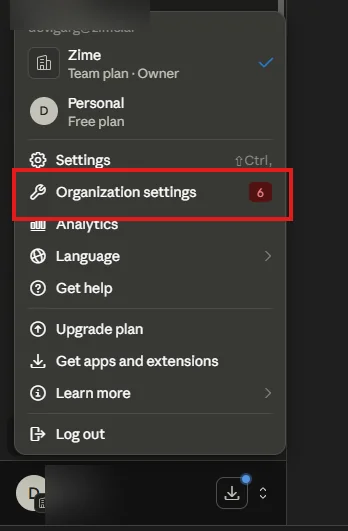
From your account menu, go to Organization settings > Plugins. Direct link: claude.ai/admin-settings/plugins (some screens label it Admin settings). If Plugins is missing, enable Cowork and Skills for the organization first.
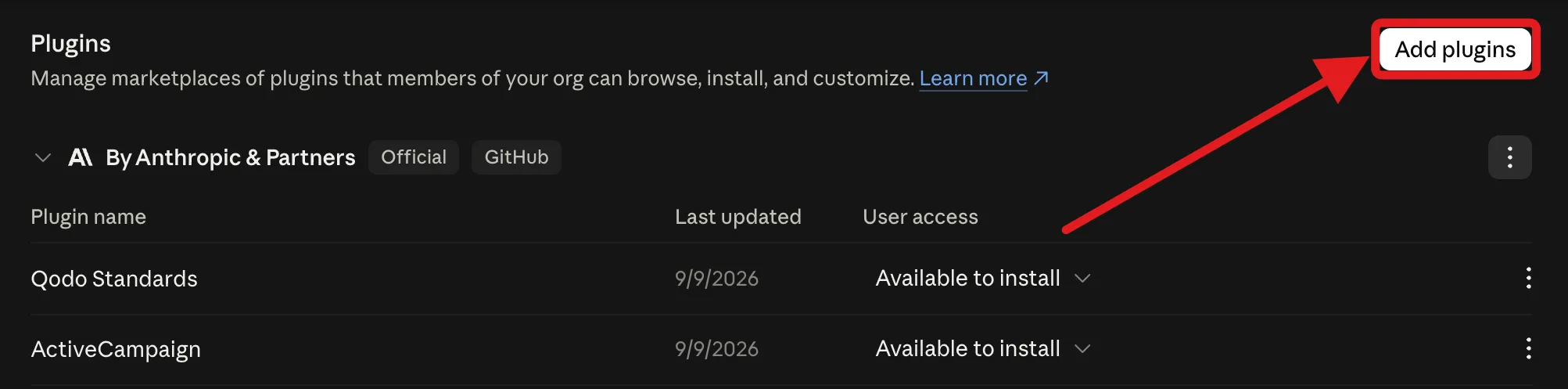
Click Add plugins, choose GitHub, and enter the Zime repository for your organization.
The repository differs for every customer, so ask your Zime representative for the exact owner/repo value, or contact us and we will send it to you.
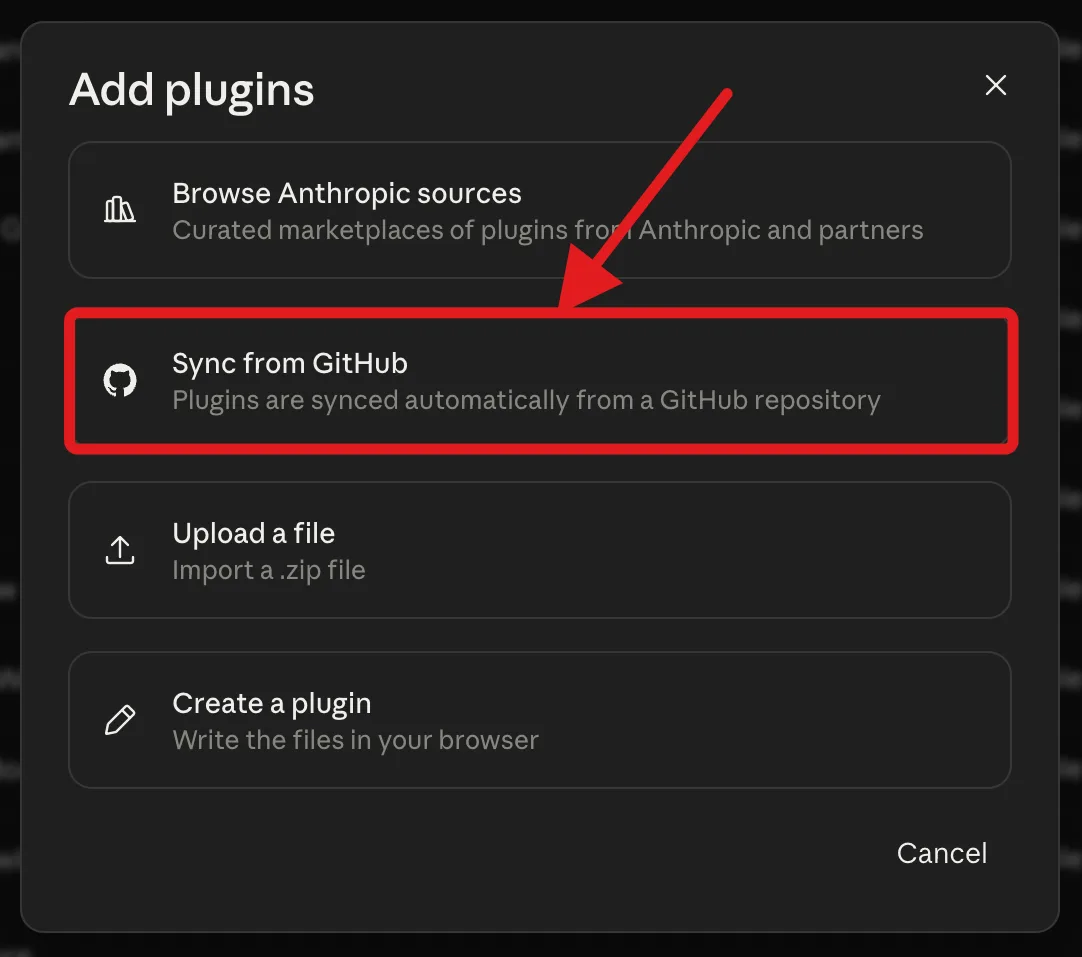
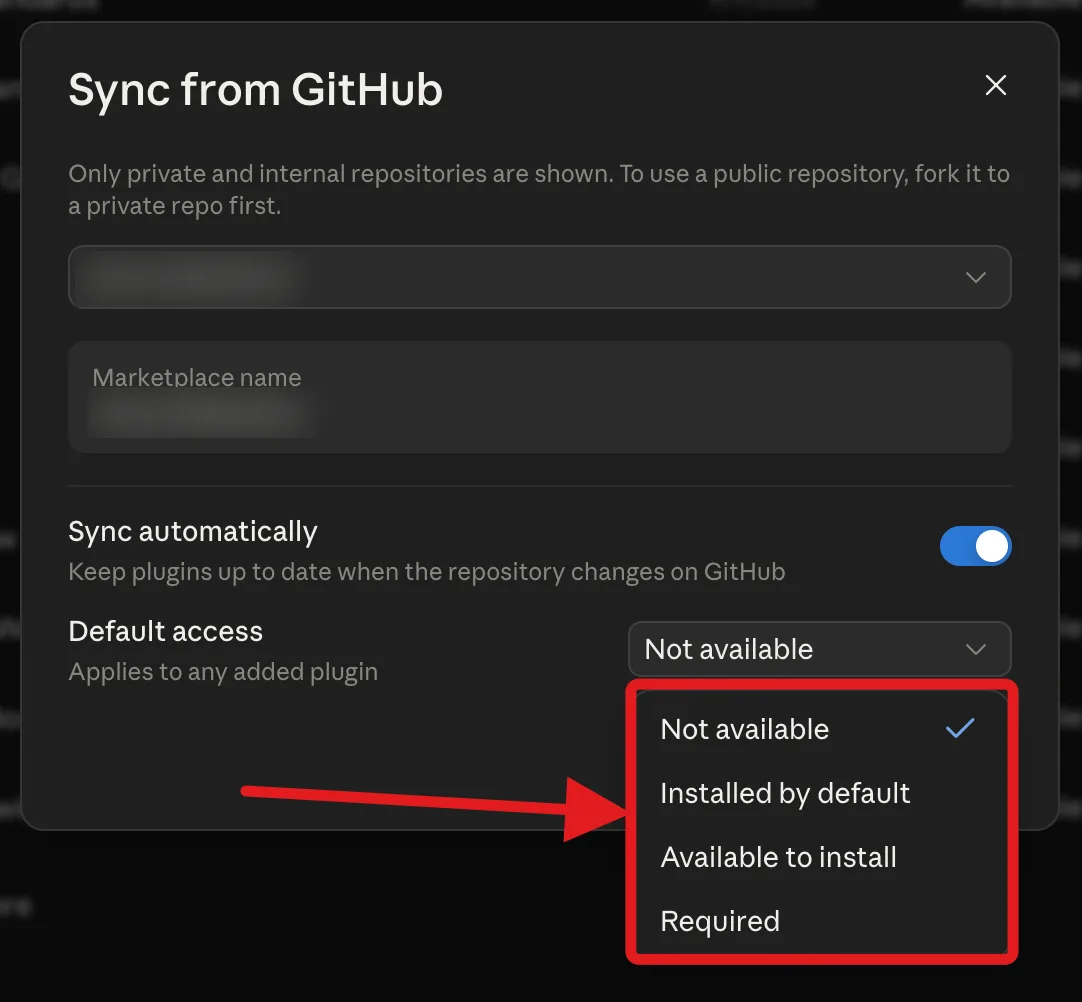
Only private and internal repositories are listed, and Sync automatically keeps you on the latest version.
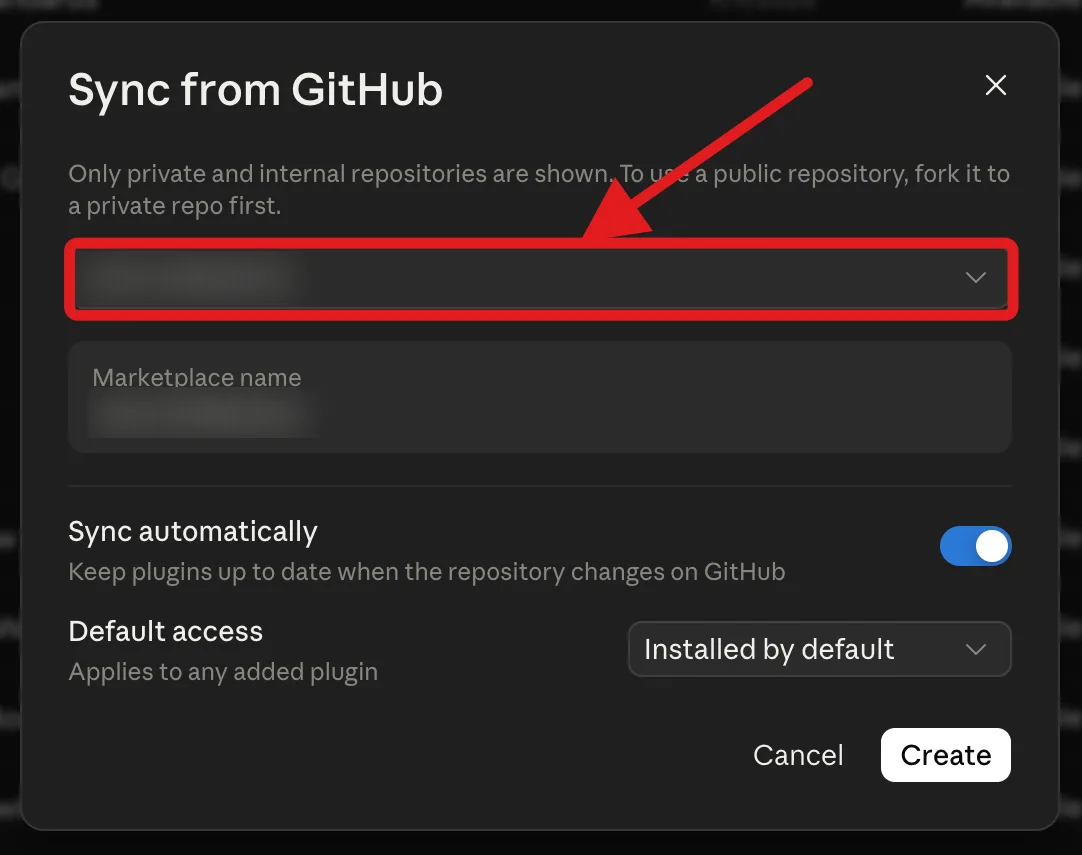
The first sync runs on its own. Zime then appears in your plugin list with the skills and the connector it contributes.
Set an install preference on the Zime plugin. See the options below if you are deciding between them. Rolling out to a pilot team first works well: on Enterprise you can use Custom access and Add groups to target one group before opening it up.
The first time a Zime skill runs, Claude opens a browser sign-in at zime.ai/login. Each person signs in with their own work email, and the session then lasts seven days before it asks again.
Turn it on as a member
If your Owner chose Installed by default or Required, Zime is already in your installed list and you can skip this.
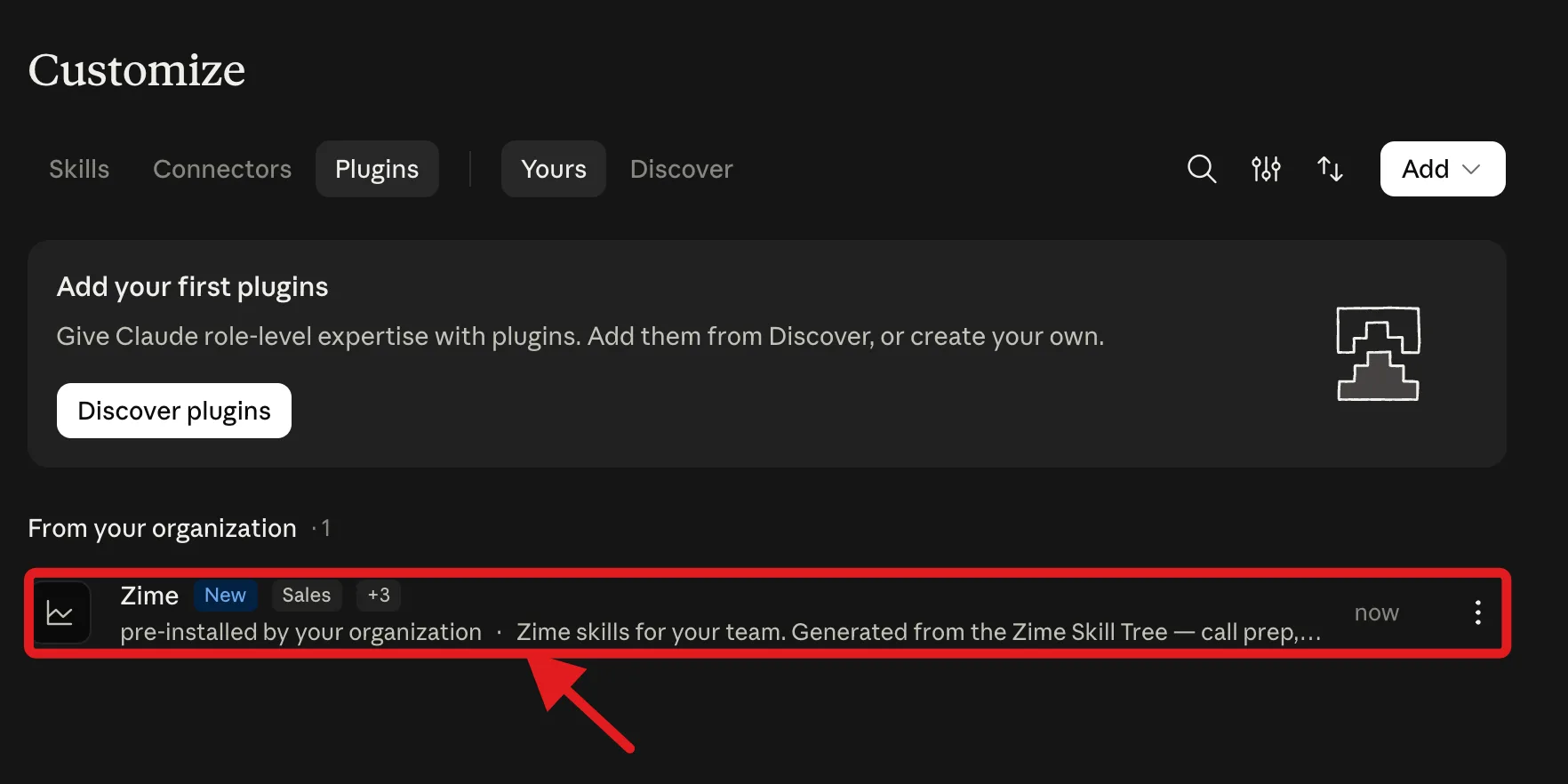
In Claude, open Settings > Plugins. Anything your Owner has synced for the organization appears under From your organization.
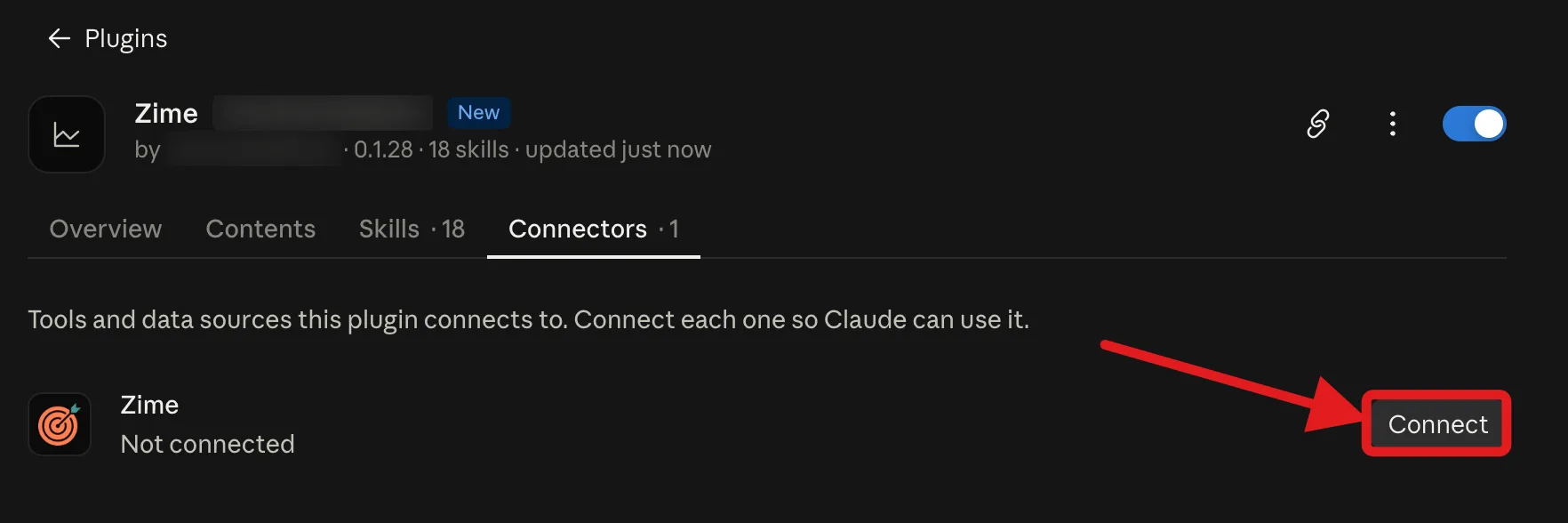
Open the plugin and go to Connectors, then click Connect. The connector is bundled with the plugin, so there is no server URL to paste.
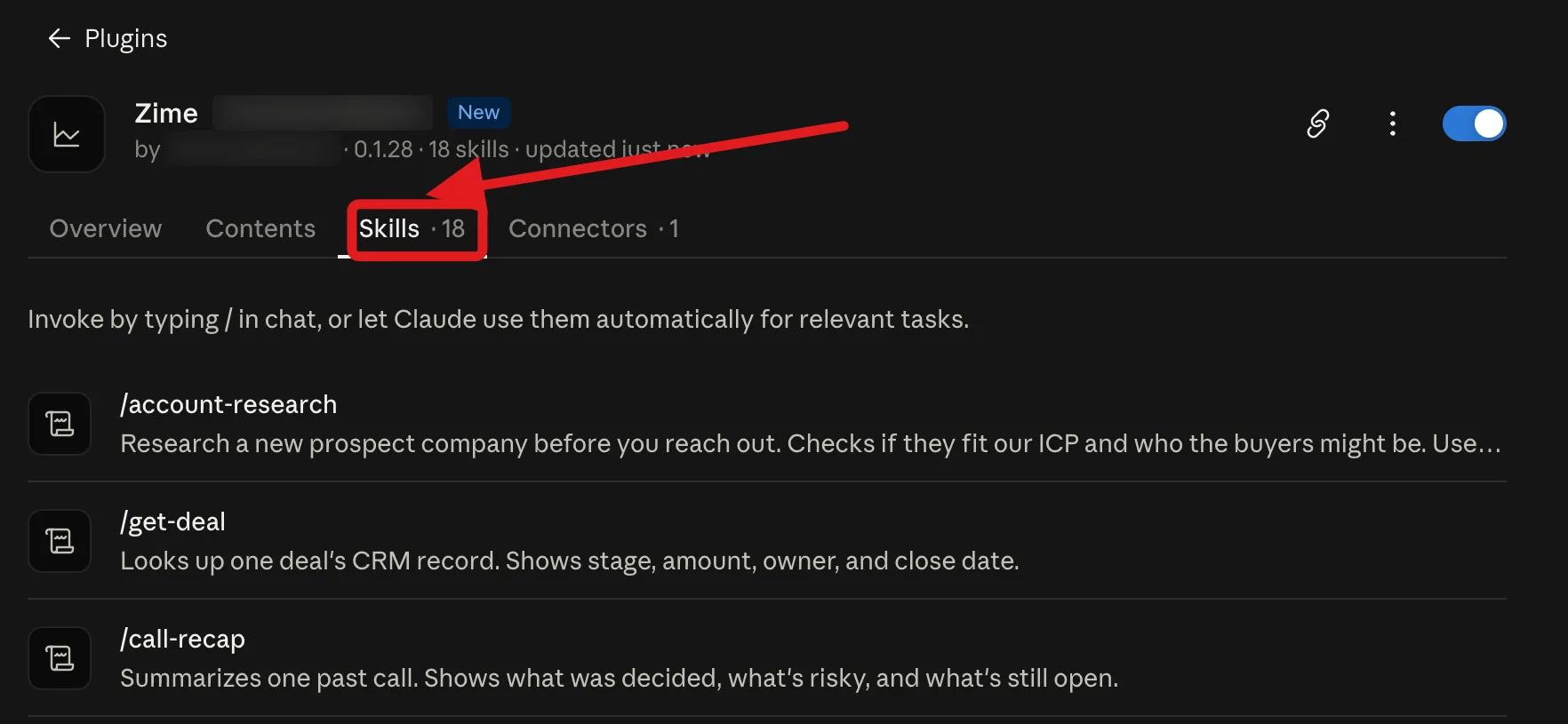
Try "prep me for my call with Acme tomorrow" or "recap my last call with Northwind". The first request opens the Zime sign-in, then the answer comes back from your own Zime data. Plugin skills work in Claude chat and in Claude Cowork.
You can also call a skill directly by typing / in chat, or let Claude pick one on its own. The list covers the ready-made Zime skills and anything your team has published from the Zime dashboard.
/.Distribution options
Set per plugin, in the same Plugins screen.
| Setting | What members see | Use it when |
|---|---|---|
| Installed by default | Already installed, and they can remove it | The whole revenue team should have Zime on day one |
| Available for install | In the catalog, they choose | You want adoption to be opt-in |
| Required | Installed and cannot be removed | Zime is part of the standard workflow |
| Not available | Nothing | You are still evaluating, or piloting elsewhere |
Security and access
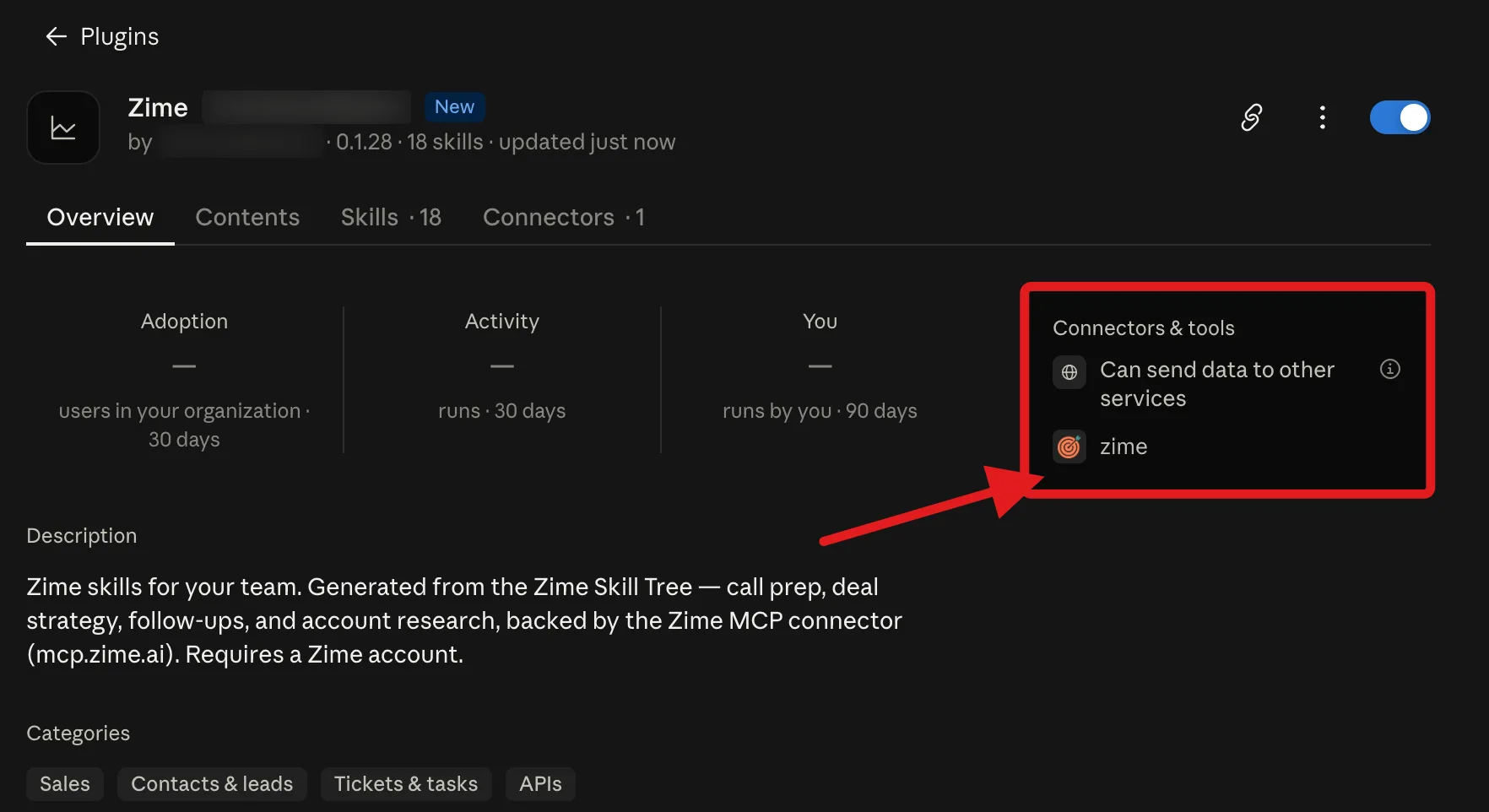
- Installing grants no data access. It puts the skills and the connector config in place, nothing more.
- Everyone authenticates individually. Zime enforces access server-side, so each person sees exactly what they would see in the Zime dashboard, even though the plugin was added once for the whole organization.
- No API keys. Sign-in is the standard Zime login, and the session expires like any other.
- No credentials or customer records in the plugin. The repository holds prompts and routing logic. It reaches Zime only through named connector tools.
Using it in Claude Code
The same repository doubles as a Claude Code marketplace, installed per developer rather than per organization. Run these inside Claude Code, substituting the Zime repository for your organization:
/plugin marketplace add [your-zime-repository]/plugin install zime-plugin@zime-plugin
As with the org install, the repository differs for every customer. Ask your Zime representative for it, or contact us and we will send it to you.
Same skills, same bundled connector, same per-user sign-in.
Frequently asked questions
What is the difference between the plugin and the connector?
The connector gives Claude seven Zime tools and lets it decide how to use them. The plugin bundles that same connector and adds skills on top, both the ready-made ones from Zime and any your team writes in the Zime dashboard. A skill is a written procedure for a job a rep actually does: prep this call, recap it, draft the follow-up, review the pipeline. Ask a plain question and the connector is enough. Ask for a deliverable and the skill decides which tools to call, in what order, and what the output looks like, so two reps asking for a prep note get the same shape of prep note.
I cannot find Plugins in my settings. Why?
Plugin management is available on Team and Enterprise plans, to Owners and Primary Owners only, and the organization needs Cowork and Skills switched on first. If you are on Free, Pro or Max, or you are a member rather than an Owner, you cannot add the plugin yourself. Add the Zime connector instead, which works on every plan, or ask your Owner to sync the plugin for the organization.
Zime does not appear in my Browse plugins list. What now?
Your Owner has either not synced Zime yet, or has set it to Not available. Ask them to open Organization settings, then Plugins, and set Zime to Available for install or Installed by default. If they set it to Installed by default, it appears in your installed list without you doing anything.
Does installing the plugin give people access to Zime data?
No. Installing it only puts the skills and the connector config in place. Each person still signs in to Zime with their own work email on first use, and Zime enforces access server-side, so everyone sees exactly what they would see in the Zime dashboard and nothing more.
How do people get new skills after we have synced the plugin?
The GitHub sync picks up new versions from the repository, so you do not re-add anything. That covers both kinds of skill: the ready-made ones Zime ships and updates, and the ones your own team writes in the Zime dashboard, which publish into the same repository. Either way they reach your members through the same plugin entry once it syncs.
Can I use the plugin in Claude Code as well?
Yes. The same repository is a Claude Code marketplace. Run /plugin marketplace add with your organization’s Zime repository, then /plugin install zime-plugin@zime-plugin inside Claude Code. The repository differs for every customer, so ask your Zime representative for it. It installs the same skills and the same bundled connector, per developer rather than per organization.
Still stuck? Contact your Zime representative or email support@zime.ai.