How to Add an AI Layer to Salesforce Without Disrupting CRM Workflows
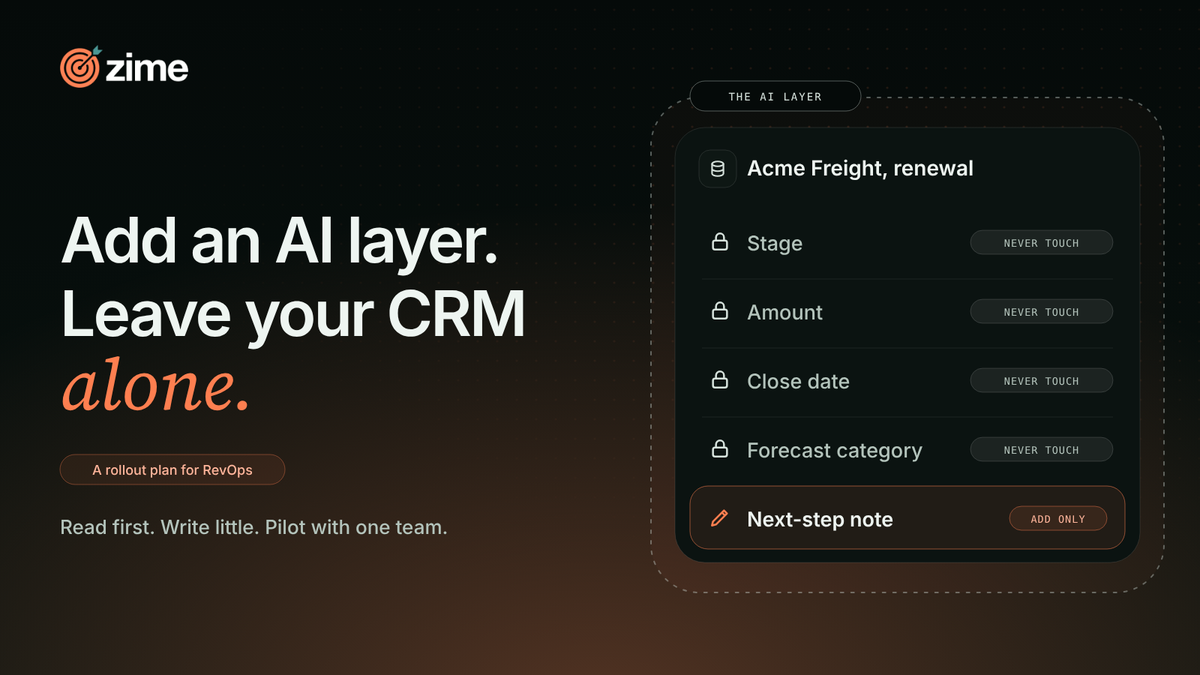

- Your CRM and the tools around it already run your pipeline. A new layer should leave them as they are.
- But the hard part is adoption, not the connection. Before go-live you cannot see what the layer will touch, or whether it adds a task for reps.
- More connectors or a sandbox will not settle that. A short pilot on one team will.
- That is where the layer earns its place. It carries what your best people do and what your CRO wants run, and you measure whether it got run.
- So add it around the CRM. Read-only first, a short list of fields it may write, one team, and a check at day 30.
You own the Salesforce org. It is the Thursday before quarter close, and a vendor's security form sits in your inbox. One question on it has no answer yet: what will this tool touch?
You built that org with care. Stages match how deals really move. Validation rules keep the forecast call honest. Every report your CRO opens rests on a field someone fought to define. A tool that blurs any of that costs you a quarter, and you would be the one to explain it. So the evaluation stalls. That is a sound reflex, not a flaw.
The connection is the risk you can see. The one you cannot see yet is adoption. A layer that asks reps for one more field or one more tab tends to be ignored, however clean the integration. This plan covers both. It gives you a read list, a short write list, a never-touch list, a one-team pilot and a day-30 test.
Write three lists before anything connects
Start on paper. You own all three lists, and you approve them before any connection exists.
The read list. Name every object and field the layer may see. Opportunities, contacts and activity are the usual start. Cut whatever the first use does not need. Fields that hold pay or legal notes come off first.
The write list. Keep this one short. Name each field the layer may write. For each, say whether it adds to what is there or replaces it. A note field it appends to is safer than a stage field it overwrites. Begin with one or two fields.
The never-touch list. Stage, amount, close date and forecast category go here. So do owner, and any field a validation rule or report depends on. This list protects your forecast call.
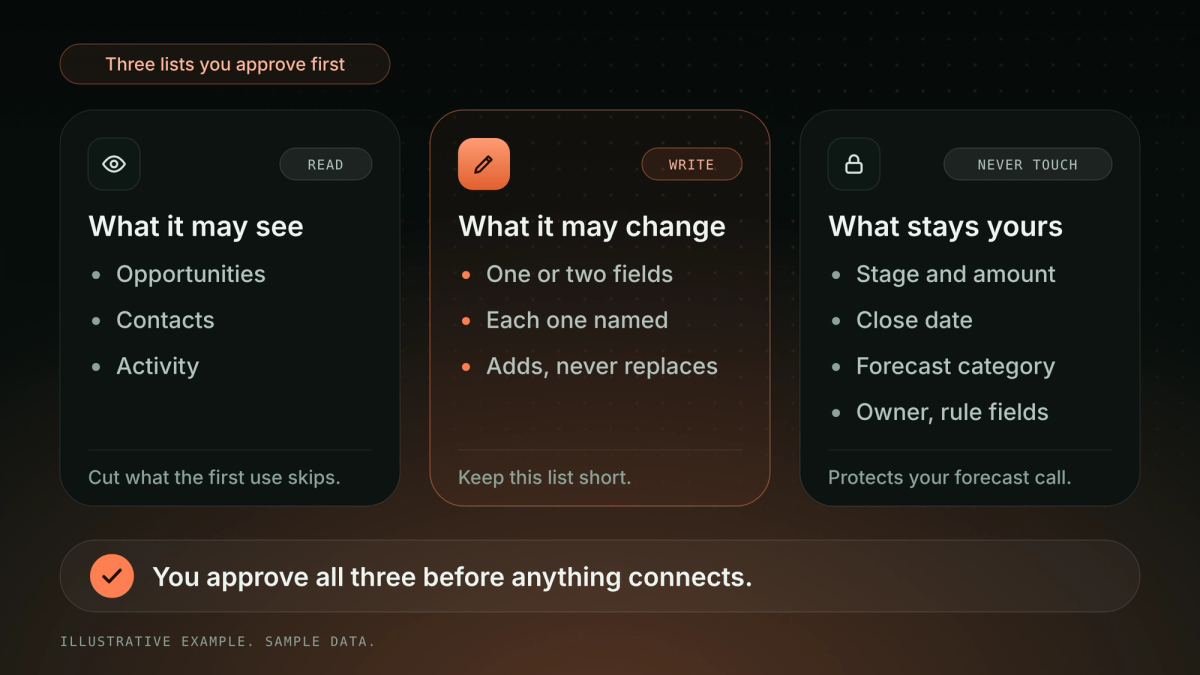
The table below gives a starting point for the three lists. Edit it for your org.
| Object or field | Read | Write | Why |
|---|---|---|---|
| Opportunity stage | Yes | Never | Reports and forecast depend on it |
| Amount | Yes | Never | Your forecast call depends on it |
| Close date | Yes | Never | Validation rules often key off it |
| Forecast category | Yes | Never | Your CRO owns it |
| Opportunity owner | Yes | Never | Routing and credit depend on it |
| Activity and calls | Yes | No | The raw material for guidance |
| Contacts | Yes | No | Needed to see who is on the deal |
| Next-step note | Yes | Add only | Low risk, easy to undo |
| Fields behind validation rules | Case by case | Never | A bad write can block a save |
Zime's published material does not yet itemize the objects and fields it reads or writes in Salesforce. That is a question for any vendor, us included. Ask four things. Which objects and fields do you read? Which do you write, and do you append or overwrite? Will you ever change a stage, amount or close date? Does a rep have anything new to fill in or check? Get the answers in writing, and hold them against your three lists.
The table below turns those four questions, plus rollback, into answers you can compare across vendors.
| Question for the vendor | A good answer | A red flag |
|---|---|---|
| Which objects and fields do you read? | A written list you can cut | "Everything, we filter later" |
| Which fields do you write, and do you append or overwrite? | Named fields, append by default | No list of fields |
| Will you ever change stage, amount or close date? | No, or only with your approval | Yes, by default |
| Does a rep have anything new to fill in or check? | No new field, tab or form | A screen reps must open |
| Can you roll back one change today? | Shown live, with version and approver | "Contact support" |
Test 1, before go-live. Can you point to every object and field the layer reads and every field it writes, and cut that list? If you cannot, the pilot waits.
Ramp trust one step at a time
Treat access as something the layer earns. Zime's own harness works this way. It has four guardrail states: recommend, act, escalate and request approval. Central policy sets who can see what and who approves a behavior. A behavior is a move your best people make on a live deal, written down so any rep can run it.
For your pilot, start at recommend and read-only. Move to a write only after you have watched the reads for a week.
Week one is governed before reps see anything. Zime's deployment is live in 7 days, and it runs like this. Day 0 is a kickoff with a forward-deployed engineer (FDE), an engineer who works inside your team. Days 1 to 3 ingest calls, CRM data and decks. Days 4 and 5 are validation and governance. Day 6 brings the first behaviors. Day 7 measures execution.
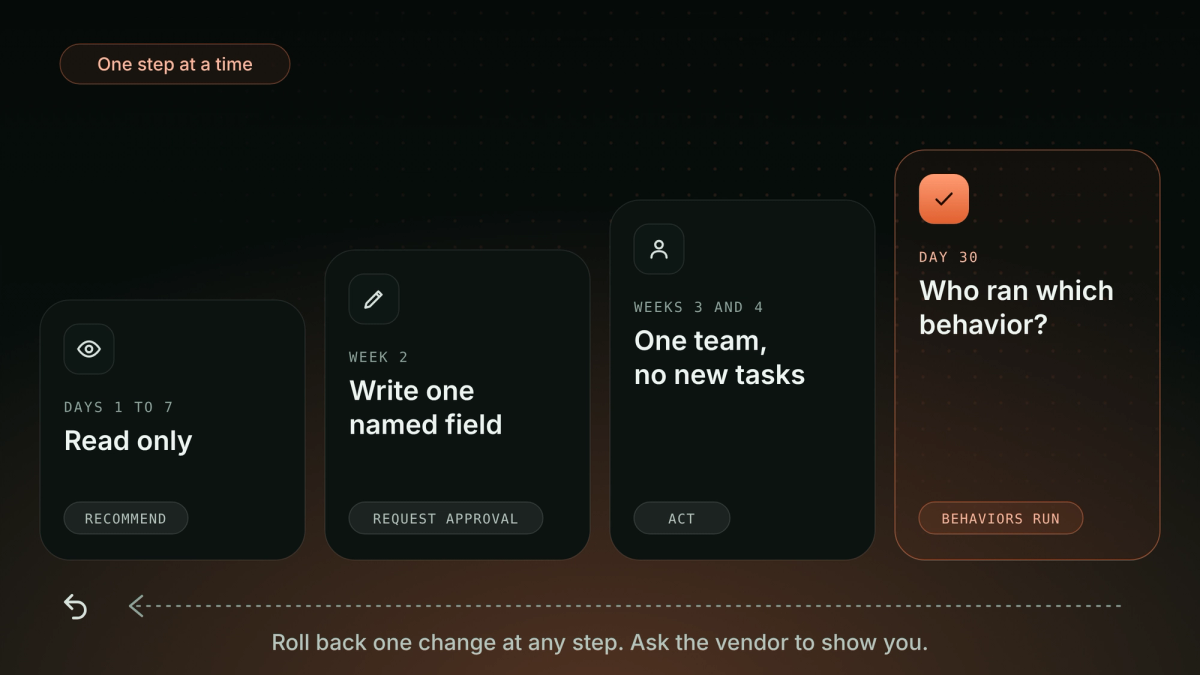
The table below lays out the first 30 days step by step, with the access, guardrail state and exit check for each.
| Window | Access | Guardrail state | What reps do | Exit check |
|---|---|---|---|---|
| Days 1 to 7 | Read only | Recommend | Nothing new | Reads match your read list |
| Week 2 | One named field, add only | Request approval | Nothing new | You approved each write, and rollback works |
| Weeks 3 and 4 | Short write list, one team | Act on listed fields, escalate the rest | Nothing new | Day-15 rep check answers "nothing" |
| Day 30 | Review | Decide to expand or stop | Nothing new | One deal traced to a rep, a behavior and a strategy |
Then test the exit. Skills are tested, approved, versioned and rolled back from a central hub. Every recommendation traces to its source, its approver and its version.
Test 2, before go-live. Ask the vendor to roll back one change while you watch. If it cannot, treat every write as permanent.
Pilot with one team and add no work
Pick one team. Choose a manager who will tell you what is wrong. Run the pilot for 30 days under one rule: no new tasks for reps. No new field, no new tab, no form to fill after a call.
Reps will test that rule on day one. John Volkering ran the European systems engineering team at Versa Networks. He put the problem in one line: "My team doesn't like their managers to be on their calls and get micromanaged." A layer that feels like oversight loses the team before it proves anything. So let reps see what the layer sees before their manager does.
The goal runs the other way. Bureau's VP APAC & MEA described what a good rollout leaves behind: "Every member of the sales teams saves 1 hour daily by automating meeting notes, CRM updates and streamlining deal reviews." The lesson is not the hour. It is that admin went down, not up.
Test 3, during the pilot. At day 15, ask three reps what they now do that they did not do before. The answer you want is nothing.
Judge day 30 by what reps ran
Logins show that a tab opened. Hours saved show a feeling. Neither shows whether your strategy ran. At day 30, ask a harder question: which rep ran which behavior, on which deal?
You may already own tools that cover part of this. The CRM's own AI and conversation intelligence both recommend moves, so keep them. An in-house agent on a frontier model is a fair build. Meeting-to-CRM tools cut admin, integration platforms move data, enablement platforms train, and forecasting tools score pipeline. Keeping the manual process is a real choice too. Each does its job. The gap this plan closes is narrower: whether the move your CRO authorized got run on a live deal.
Behaviors only count if they come from somewhere you trust. Zime builds them in two ways. One is from your best people, elicited through FDE-run interviews and RLHF (reinforcement learning from human feedback), including what never shows up in a transcript. The other is from the strategy your CRO has authorized. You then check them against live deals, not against a dashboard.
Day 30 is early. You are checking direction, not the full result. Zime's own benchmark is 80% of eligible reps running behaviors within 90 days. At Versa Networks, 79% of sales engineers ran the right technical discovery within three months, up from 20% at the start. That counts behaviors on live deals, not logins or training. Brent Bair, a Regional Sales Leader there, described how it landed with his team: "As I look at my team, the adoption rate has improved. I think it's become ingrained in our sales DNA now that this is incredibly valuable as we're progressing through deals." He is describing a habit, not a login count.
Many AI projects stall before they pay off. Gartner expects over 40% of agentic AI projects to be canceled by the end of 2027, and BCG found only 26% of companies had moved beyond proofs of concept to generate value. A one-team pilot with a day-30 test tells you early which side you are on.
Test 4, at day 30. Pick one deal. Can you show which rep ran which behavior on it, and which strategy authorized that behavior? If you can, expand. If you cannot, you have not measured adoption yet.
The table below sums up the four tests, when to run each and when to stop.
| Test | When | You pass if | You stop if |
|---|---|---|---|
| 1. Lists | Before go-live | Every read and write field is listed and cut | You cannot list them |
| 2. Rollback | Before go-live | The vendor rolls back one change while you watch | It cannot, so treat every write as permanent |
| 3. Rep check | Day 15 | Three reps name nothing new they now do | Any rep names a new task |
| 4. Trace | Day 30 | One deal shows which rep ran which behavior, under which strategy | You cannot show it, so do not expand |
FAQ
Do we have to replace Salesforce or our conversation intelligence?
No. Keep the CRM and keep the call tools. Both recommend moves. Zime sits upstream of them. It carries what your best people do and what your CRO authorized, then shows whether reps ran it.
What happens when our strategy changes mid-pilot?
Behaviors are versioned, so a change ships as a new version and the old one can be rolled back. Zime's forward-deployed engineers encode the change.
How do we know a rep ran the move?
Programmatic adoption records which rep ran which behavior on which deal. That is the check in test 4.
Can we trace a recommendation to where it came from?
Yes. Every recommendation traces to its source, its approver and its version.
Who approves what the layer is allowed to do?
You do. Central policy sets who can see what and who approves a behavior.
Keep your CRM. Add the layer around it.
Your CRM, your stages and your tools stay as they are. Zime adds the layer that turns your best people's behaviors and your CRO's strategy into moves reps run, and shows you which rep ran which. Live in 7 days on your own data. Bring your three lists and one team's deals, and ask us the four questions from this post. Book a demo →