
CRM integration and automation
What Zime writes into Salesforce, HubSpot or Attio after a call, how an admin connects the CRM, what can be configured, and what to check when an update is missing.
Zime updates your CRM after a recorded call, so reps do not copy notes by hand. This page covers what Zime writes, which CRMs it connects to, how an admin connects one, what can be configured, and what to check when an update does not appear.
CRM updates that run on your rules, not just a transcript
A note taker writes what was said. Zime writes what your qualification rules say it means, and puts it on the right record.
| What you have today | Zime CRM updates |
|---|---|
Fields filled from the words in the transcript | Fills Budget, Next step and your other fields using your own definitions, so a field means the same thing whichever rep ran the call |
Call notes attached to the meeting, for someone to copy into the deal | Matches the call to its deal first, then writes to that deal, account or custom object for you |
The latest call overwrites what was there | Follows a write rule for each field: replace with the latest call, add to what is there, or keep the best result across calls |
See how it works on the CRM update page on zime.ai.
What Zime writes after a call
When a recorded call is matched to a deal, Zime writes the call summary and insights to that deal in your CRM. When Zime matches the call to an account or contact but not a deal, it logs the call against that record. Calls Zime cannot match to anything stay available in Zime and are not written to the CRM.
The call is recorded and processed
Zime records the call and processes it.
Zime matches the call to a record
Zime looks for the deal first. If there is no deal, it uses the account or contact. A call Zime cannot match to any of them stays in Zime and is not written to the CRM.
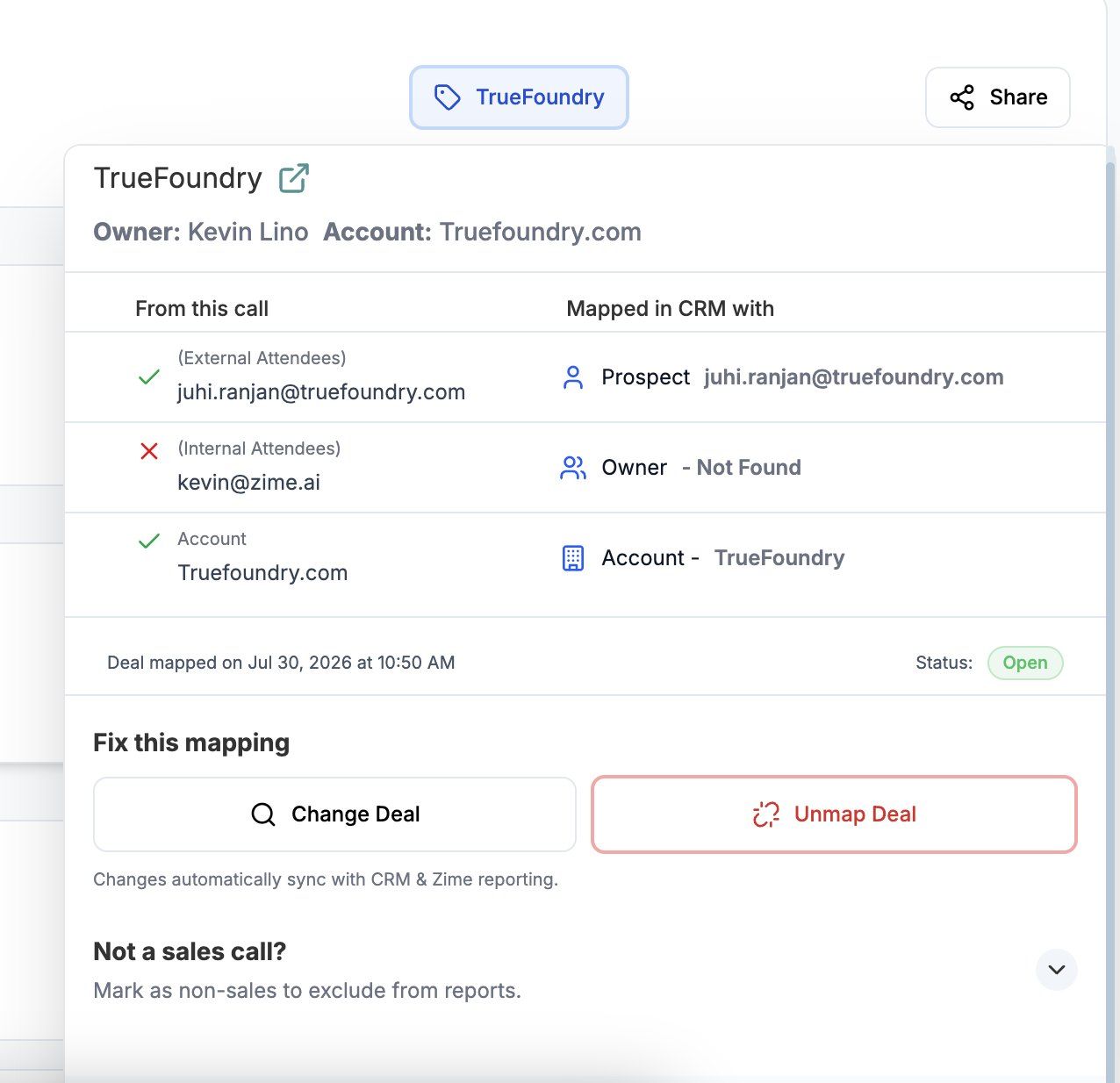
The update is sent
In Automatic mode, Zime sends the update after the call is processed. In Manual mode, a rep clicks Update in CRM on the call. The badge then reads CRM Updated, and hovering it shows who updated the CRM and when.
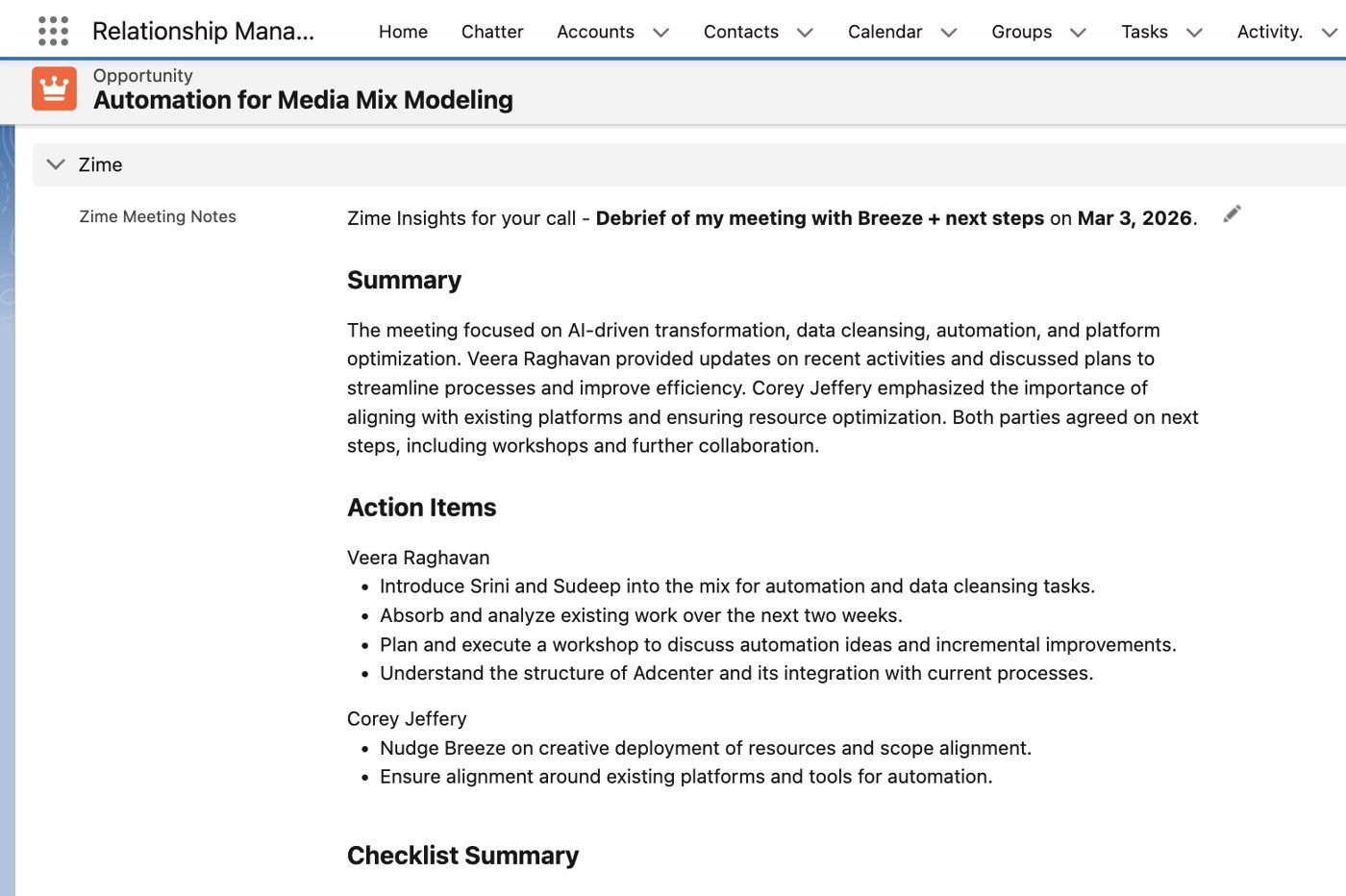
Each field follows its write rule
Latest replaces the field with the value from the most recent call. Append adds the new call's text to what the field already holds.
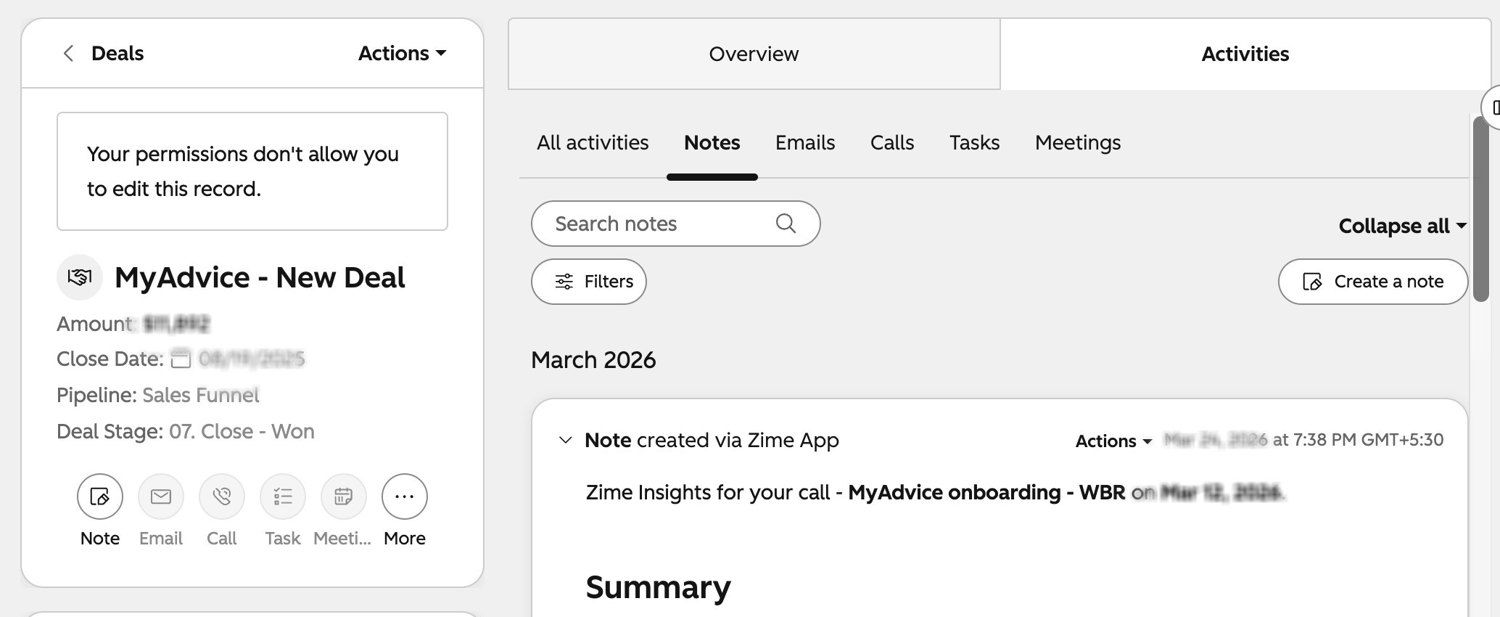
Late deals and rate limits
If the deal is created after the call, Zime maps the call to it about 2 hours after the call ends and sends the update it skipped. This retry runs once per call and only for recent calls. If the CRM rejects a request because of rate limits, Zime retries the update.
What an update can contain
Zime reads deals, accounts, contacts and owners from your CRM and can write to fields on the matched deal or account. For Salesforce and HubSpot it also reads the emails logged on your records, which email analysis uses.
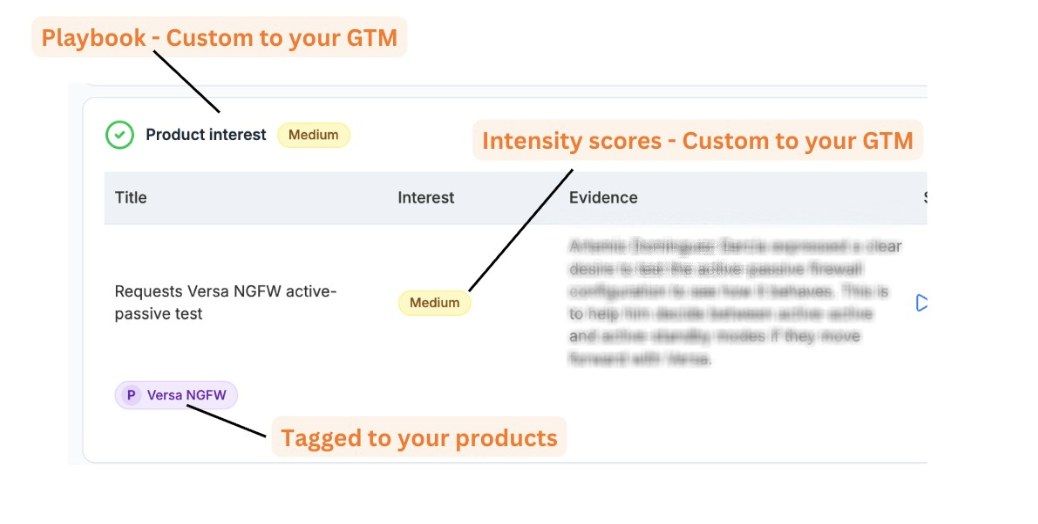
Zime's team configures which fields are updated for your workspace. Each configured item either updates a field on an existing record or creates a record in a custom object. Every field has a write rule:
| Write rule | What it does |
|---|---|
Latest | Replaces the field with the value from the most recent call. |
Append | Adds the new call's text to what the field already holds. |
Max | Keeps the best result from any call on the deal, not just the latest call. |
Supported CRMs
| CRM | Button on the CRM Integration card | Notes |
|---|---|---|
Salesforce | Connect Salesforce | Sign-in uses OAuth. |
HubSpot | Connect Hubspot | Sign-in uses OAuth. |
Attio | Connect Attio, or Use API key | Shown for workspaces set up with Attio. An Attio workspace admin must approve the connection. Zime does not sync email from Attio, so email analysis is not available with Attio. |
Zime does not connect to other CRMs today. Each CRM has its own setup page: Connect Salesforce, Connect HubSpot and Connect Attio.
Connect your CRM
Only workspace admins can connect or disconnect a CRM. Other users see the card greyed out, with a note that it is managed by their workspace admin.
Open the CRM tab
Sign in to Zime as an admin, open Admin, then the CRM tab. The CRM Integration card lists the CRM you can connect.
Start the connection
Click Connect Salesforce, Connect Hubspot or Connect Attio. Zime sends you to your CRM's sign-in page.
Approve access
Sign in to your CRM and approve the permissions Zime asks for.
Check the status
Back in Zime, the card shows the CRM as connected and the button changes to Disconnect.
Zime acts with the permissions of the CRM user who approves the connection. Approve with an account that can see and edit the records you want updated, and whose access you are comfortable giving Zime.
Connect Attio with an API key
Create the key in Attio
In Attio, open Workspace settings, then Developers, and create an API key with read access to records, object configuration and workspace members.
Enter it in Zime
On the CRM Integration card, click Use API key, paste the key and click Connect with API key. Zime stores the key and does not show it again.
What you can configure
| Setting | Who changes it | Notes |
|---|---|---|
CRM connection | Your workspace admin | Admin, CRM tab: connect or disconnect. |
Update mode | Zime team, on request | Automatic sends updates after every processed call. Manual waits for a rep to click Update in CRM. |
Fields and objects Zime updates | Zime team, on request | Field mappings and write rules. A company can have up to 15 enabled custom fields and 10 active object configurations. |
Closed deals in deal mapping (Salesforce) | Zime team, on request | See How Zime maps calls to deals. |
Update mode and field mappings have no self-serve screen today. To change them, email support@zime.ai or ask your Zime contact.
Troubleshooting
| What you see | Why | What to do |
|---|---|---|
A call has no CRM update | No deal, account or contact was matched, or Update mode is Manual. | Open the call and check the deal badge. If it says No Deal, map the deal. In Manual mode, click Update in CRM. |
The update is missing for a deal created after the call | The deal did not exist when the call ended. | Zime maps late deals about 2 hours after the call and then sends the update. Check again after that. |
The update went to the wrong deal | Zime scored another deal higher. | Use Change Deal on the call. See How Zime maps calls to deals. |
The connect and disconnect buttons are greyed out | Your role is not admin. | Ask a workspace admin. |
Attio card says Connection needs attention | Attio no longer accepts the saved token or API key. | Disconnect, then connect Attio again. |
Attio card says Attio has not synced recently | The sync is late. Reconnecting does not fix this. | If it continues, contact support. |
Questions
Getting started
4 answersWhat do I need to get started?
A Zime admin, and a CRM user who can approve the connection. For Attio, an Attio workspace admin must approve it. Then follow the steps in Connect your CRM.
How soon do updates appear in the CRM?
In Automatic mode, after Zime has processed the call. In Manual mode, when a rep clicks Update in CRM. If the deal was created after the call, about 2 hours after the call ends.
Do reps have to learn a new tool?
Reps keep working in the CRM. In Zime they see a CRM Updated badge on the call. In Manual mode they click Update in CRM first.
Can we test this before it touches production?
The CRM Integration card has no sandbox option. Zime's Salesforce connection recognises sandbox orgs. To test first, ask your Zime contact to set it up. For HubSpot and Attio, email support@zime.ai.
Mapping calls to records
4 answersWill Zime write to the wrong deal?
Zime scores each candidate deal and picks the highest, so a wrong pick is possible when your CRM holds several similar deals. Anyone can change the deal from the call page. See How Zime maps calls to deals.
What if the deal is created after the call?
Zime maps the call to the deal about 2 hours after the call ends and sends the update it could not send earlier. For a call processed this late, only some fields are written, so an older call does not overwrite newer content. This applies to recent calls. A deal you link days later does not trigger the automatic retry.
What happens to calls that have no deal attached?
Zime logs the call against the matched account or contact when it finds one. When it finds none, the call stays in Zime only.
How do I keep irrelevant calls out of the CRM?
Zime does not map deals for meetings with only internal attendees. A rep can also mark any call as non-sales on the call's deal card, which clears its deal link and excludes the call from reports.
What Zime writes
5 answersWhat do we get by default, with no configuration?
Zime logs the call summary and activity against the matched record.
Can Zime update custom fields, not just a notes field?
Yes. Zime's team can configure updates to individual fields on a record, up to 15 enabled custom fields per company.
Can Zime write to our custom objects?
Yes. A configured item can create a record in a custom object.
Can we control whether Zime overwrites an existing value?
Yes. Each field has a write rule.
| Rule | What it does |
|---|---|
Latest | Replaces the value with the one from the most recent call. |
Append | Adds the new text to what is already there. |
Max | Keeps the best result from any call on the deal. |
Zime's team sets the rule per field.
What happens when an update fails?
Zime retries updates that failed because the CRM limited the request rate, and sends updates it skipped because no deal was mapped yet. If an update still does not appear, email support@zime.ai.
Access and security
3 answersDoes Zime get full access to our CRM?
Zime gets the permissions it requests when you approve the connection:
| CRM | Permissions |
|---|---|
Salesforce | api, refresh_token, offline_access and openid. |
HubSpot | Read and write for contacts, deals and leads. Read for companies and owners, and read for emails, users and lists. Read for the field definitions of contacts, companies and deals, and write for those of contacts. |
Attio | Read access to records, object configuration and workspace members. To let Zime update Attio, the connection also needs write access to records, notes and tasks. |
How do we revoke access?
An admin clicks Disconnect on the CRM Integration card (Admin, CRM tab). You can also revoke the app or API key inside your CRM.
Can access to insights be restricted inside Zime?
Yes. In Admin Center, admins set a visibility level for each user: Self, Peer, Sub function, Function, Account context or Full company access.
CRM coverage
2 answersWhich CRMs do you support?
Salesforce and HubSpot. Attio is also supported for workspaces set up with it. Pipedrive, Zoho, Microsoft Dynamics, ConnectWise and other CRMs aren't supported. Email analysis works with Salesforce and HubSpot only.
We use a different CRM. Can you support it?
Not today. Email support@zime.ai to ask about yours.
Still need help?
Email support@zime.ai and include the details below.
If you report an issue, include:
- The call or meeting title
- Your CRM: Salesforce, HubSpot or Attio
- The record you expected Zime to update